 ManageCourt
Features
Everything ManageCourt does, in one place.
Built for court sports from day one: tennis, padel, badminton, pickleball, squash and more. Here is every part of it, grouped by who uses it. Each one links to the page of the user guide that explains it in full.
For players
Booking that takes a minute, any time of day.
Players book on your website, logged in to their account. They see only what's free, know the price before they confirm, and hear from you in their own language.
Court first, then a free time
Any court or a favourite one. Court cards show the surface and how many free times are left; free times are grouped into morning, afternoon and evening.
Guide: The player experience →Choose the court after the time
With Any court, players pick a time first and then choose from the courts free at that moment.
Guide →Members, club list or guests
Add the other players by name: members, club-list players who agreed to be found, or guests. Every player in a booking is named.
Guide →The price, before confirming
The total, each player's share, VAT and the free-cancellation deadline are shown before the player confirms.
Guide: Price plans →Online or at the venue
Where you allow both, the player chooses. Online payments go through WooCommerce, with any gateway.
Guide: Payments →See, cancel, add to the calendar
Upcoming and past bookings, cancellation under your policy, and calendar files for phones and computers.
Guide →The same court every week
Every week or every 2, 3 or 4 weeks, where your rules allow it. Dates that aren't free are listed and skipped.
Guide: Regular bookings →“Tell me when a court frees up”
Players choose a court or any court, a time range and a length. Everyone waiting is emailed the moment a match frees up.
Guide: Waitlist alerts →In their own language
Confirmations, cancellations, reminders and moved bookings, each with a calendar file, in the player's WordPress language.
Guide: Emails →For the front desk
Run the whole day from one calendar.
Front-desk staff get the Court Manager role: the calendar, bookings, players, Today and Reports, and nothing else on your site.
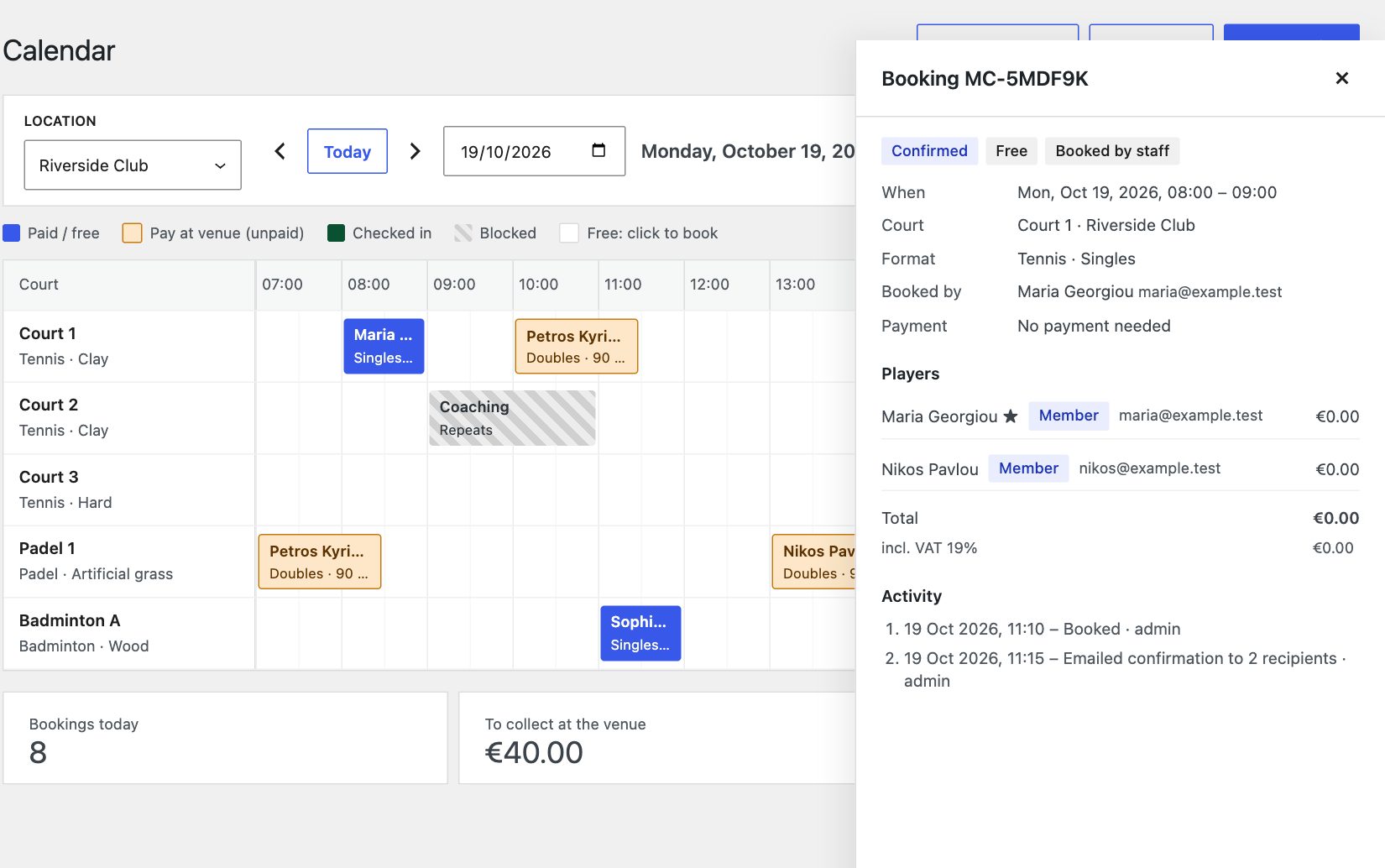
Every court, one day
Bookings coloured by status: paid, to pay at the venue, checked in, blocked. Click a free slot to book.
Guide: Calendar →Book for a player
Once or every week. Staff can book outside the window, limits and opening hours, but never over another booking or a block.
Guide →Paid, checked in, no-show
Open a booking to mark it paid, check players in, record a no-show or cancel with the refund you choose. Every action is logged.
Guide →Drag to another court or time
The new slot is checked first. Keep the price or use the new one; the player gets an email and an updated calendar file.
Guide →Block courts, with a label
For coaching, maintenance or events, one-off or every week. Players see the label you write.
Guide →Weather closure
Cancel every booking on chosen courts for a time range in one go, with the refund you choose, emails to players and the time blocked.
Guide →Pay before they come
Email a player a link to pay online for a phone booking. Paid at the desk instead? Mark as paid closes the link.
Guide →Search every booking
By reference, player name or email; filter by date, location, payment and status; export to CSV.
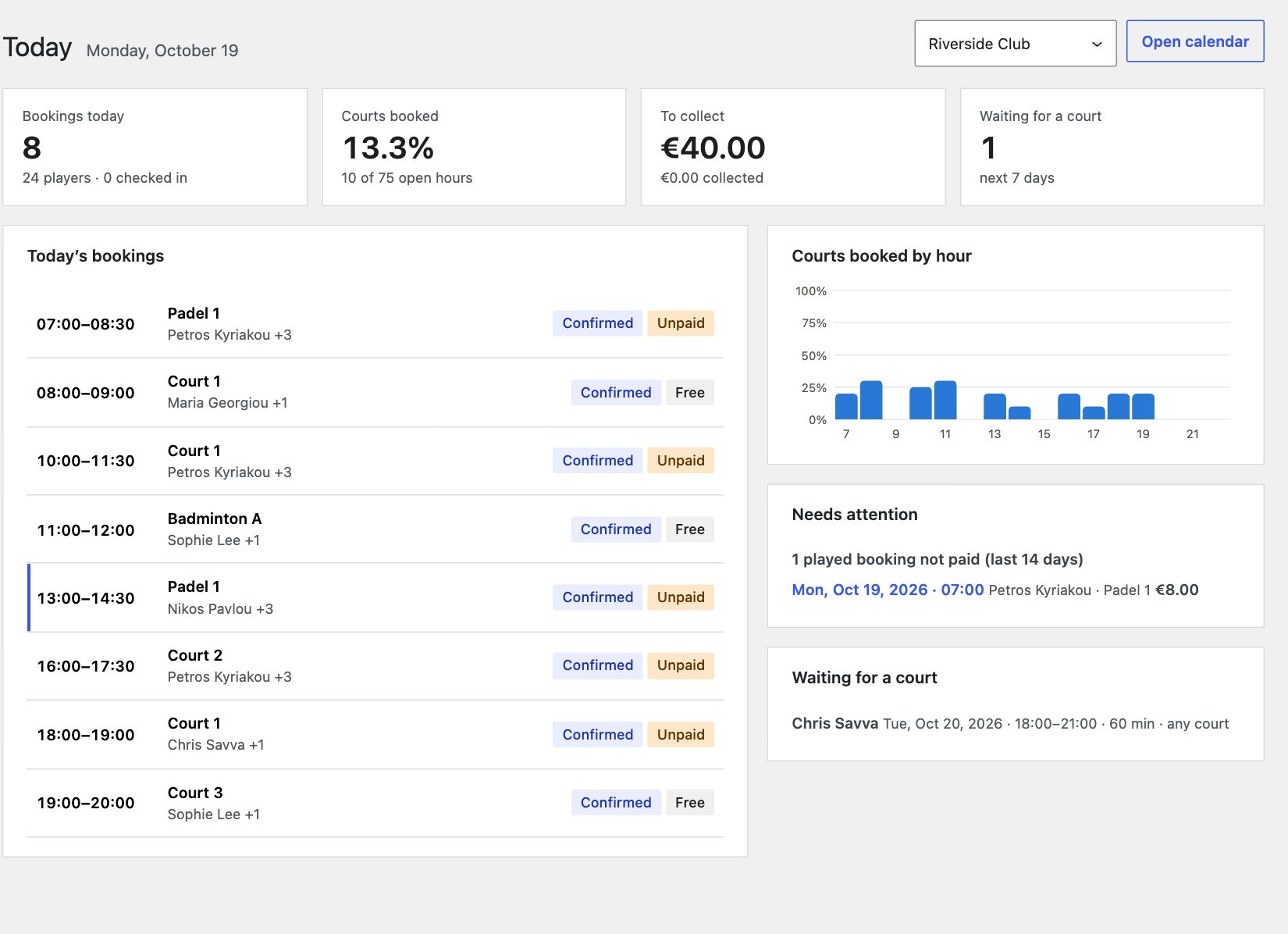
Guide: Bookings list →The desk's first screen
Today's bookings, courts booked, money to collect, players waiting for a court, and what needs attention.
Guide: Today →For owners and managers
Set the rules once. See what's working.
Locations, courts, rules and prices are set by administrators and inherited down to each court, so a change in one place reaches everywhere it should.
One venue or several
Each with its address, contact details, amenities, opening hours, booking rules and its own page.
Guide: Locations →Courts, sports and surfaces
Each court with its sport, surface, photo and status, and optionally its own hours and rules. Sports and their formats are editable.
Guide: Courts →Inherited: club, location, court
Game lengths, start times, how far ahead (rolling, or opening at a set time each day), minimum notice and limits per player and per role.
Guide: Booking rules →Refund levels
Decide how much players get back depending on how late they cancel. Only late cancellations count towards limits.
Guide →Price per court or per player
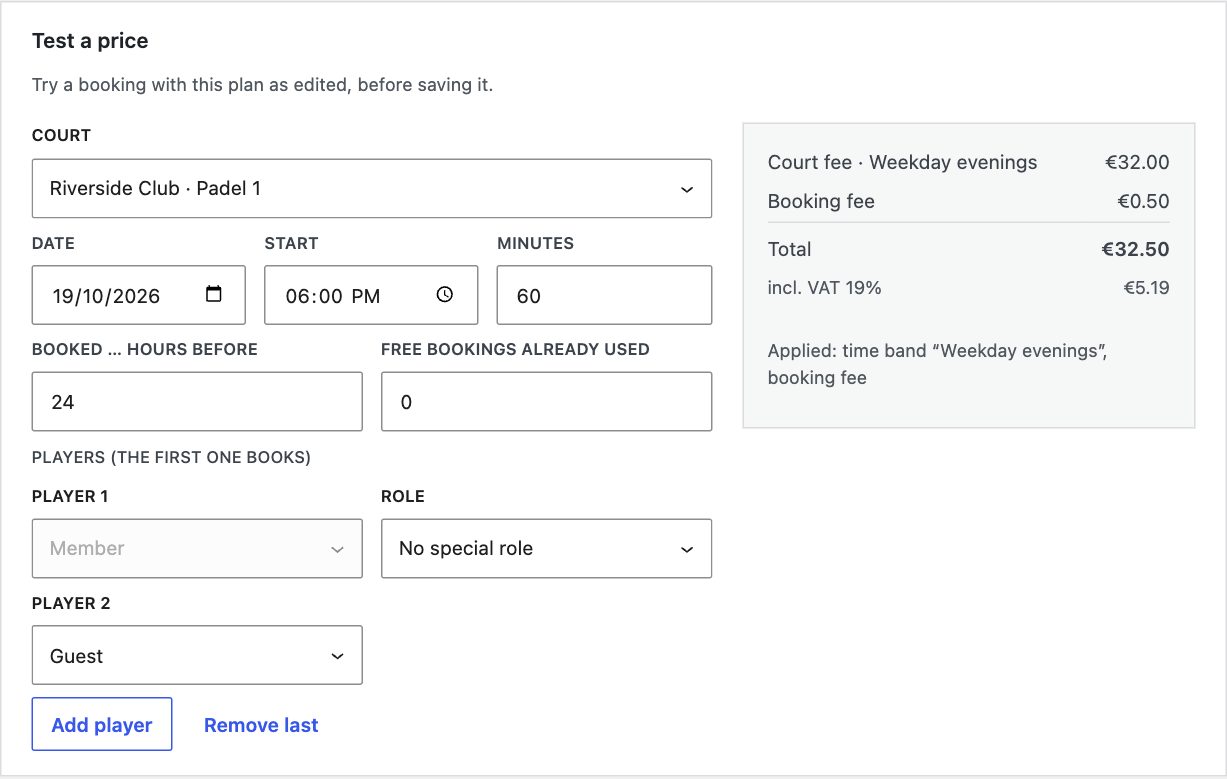
Separate fees for members, club-list players and guests; time bands for peak, off-peak and weekends; a lighting surcharge; member prices by role; early-booking and last-minute discounts; free bookings per week or month; a booking fee; prices including VAT. Test a price shows exactly how each price is worked out, and Used at sets where each plan applies.
Guide: Price plans →Any period, any location
Courts booked by day and hour, booked against collected, cancellations, no-shows, busiest times, most active players. CSV export.
Guide: Reports →Members and your club list
One directory with profiles: history, upcoming bookings, no-shows and notes. Import from Excel (Greek files too), export, and invite club-list players to sign up.
Guide: Players →Court Managers
A role for front-desk staff, which can be limited to specific locations, reports included. Only administrators change prices and settings.
Guide: Roles →Your website and data
It belongs to your site, not the other way round.
ManageCourt is a WordPress plugin. It fits into the site you already have and keeps everything in your own database.
Blocks and shortcodes
Court Booking, My Court Bookings and Locations blocks, or the [managecourt] shortcode, on any page. Each location gets its own page too.
Your theme's look
Booking pages use your theme's fonts and colours automatically, in block themes and classic themes.
Guide →WPML and Polylang
Translate locations, courts and email templates; every text in the plugin can be translated, and emails follow each recipient's language when your site has that translation.
Guide: Multilingual sites →WooCommerce, any gateway
Each booking gets its own order on WooCommerce's payment page. Courts are held while players pay; refunds are automatic where the gateway allows.
Guide →Consent and GDPR tools
Player search only with consent, defaults set by admins after confirming it; export and erase through WordPress's privacy tools; suggested policy text.
Guide: Privacy and GDPR →Kept on your site
Bookings and players stay in your WordPress database. Deactivating or deleting the plugin deletes nothing unless you choose to.
Guide: Settings →Sent in the background
Emails and reminders go out through the bundled Action Scheduler, so booking pages stay fast.
Guide →Like any plugin
While your licence is active, new versions appear in Dashboard → Updates, and automatic updates work.
Guide: Getting started →Hooks and a REST API
Actions, filters and a documented REST API for agencies who want to extend it.
Guide: For developers →See every feature on your own courts.
Three days, free. No card needed. Requires WordPress 6.8 or newer and PHP 8.1 or newer.